
On the CSBG Community Action Plan screen, your agency’s current Contract Number and Contract Start Date display. The date cell will display in yellow if your agency’s Contract End date is < the current date and needs to be updated. This information is entered and maintained in your agency’s Edit Agency Information.
Section 1: Information must be entered in at least rows A and B and in each block in those rows. If not entered, an error message and/or a block outlined in red will display after a COPOS user saves the entered data. The Work Plan may be saved with errors. All errors must be corrected prior to submission to DCED.
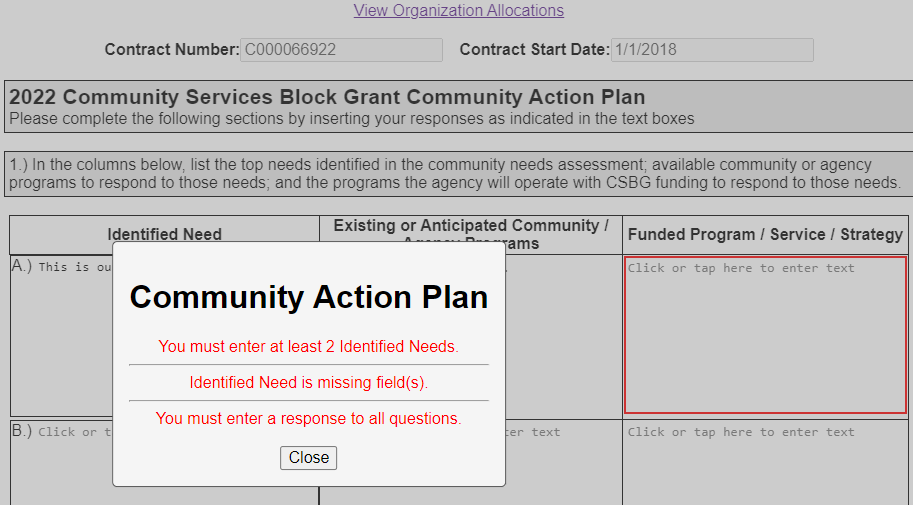
COPOS allows for up to 7 needs rows to be entered. If an agency has more than 7 needs, consider combining needs which are closely related into a single need with 2 parts.
If an agency has 1 need with many different programs and services, it is feasible to enter the same need in 2 rows while being sure to provide full information each row (Need, Programs, and Funded Programs, Service, and Strategy(ies).
Sections 2 – 9: Information must be entered into each section. An error message will display when the Save button is selected and a section does not have information.
After all sections have the required information and the Save button has been selected,the Work Plan Community Action Plan status changes from Incomplete to Complete.