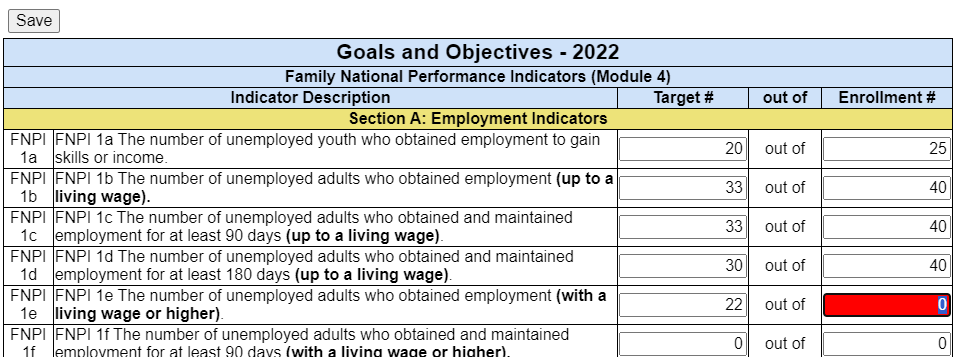
For each area within the Goals and Objectives that are applicable, enter a Target # and an associated Enrollment #. The Target Number must be < or = to the Enrollment #. If an Enrollment # or a Target # is not entered, the cell will display as red. Remember these are agency goals based on ROMA (Results Oriented Management & Accountability).
In most sections, “Other” lines are available to enter a description and then enter the Target and Enrollment numbers. Up to 4 Additional “Other” lines can be added by selecting the plus sign which will display each time a complete Outcome row is entered.

When the user selects the plus (+) sign, a new row displays data entry. In the above example, a row for FNPI 2z.2 will display.
Work Plan numbers will be compared to the previous report year’s Module 4A numbers. If no errors display when the Save button is selected, the Work Plan Enrollment Goals status changes from Incomplete to Complete.