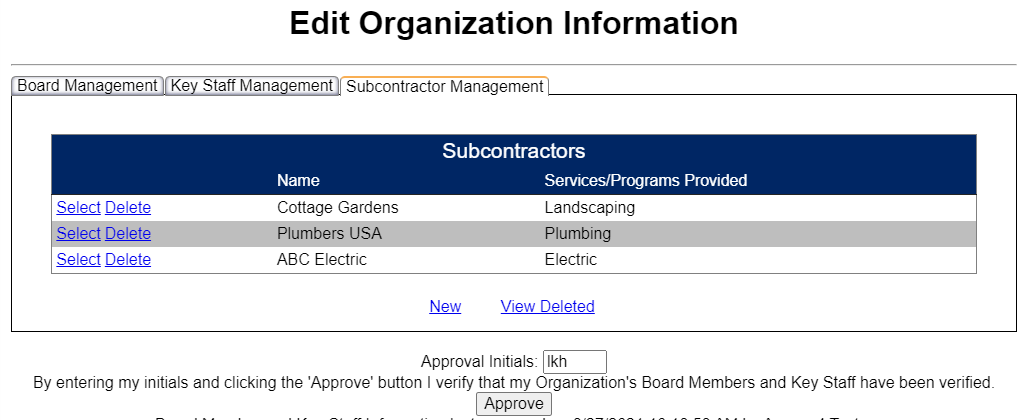
If your agency utilizes subcontractors associated with COPOS reporting work, each should be listed and then approved by your Agency ED in Admin -> Manage Board, Staff, Subcontracts -> Subcontractor Management. Note: If your agency does not utilize subcontractors, no Subcontractor information is needed in your agency’s Work Plan.
Once your subcontractors have been added, they will display on the Work Plan -> Subcontractors screen. For subcontractor, enter the contract amount associated with the Services/Programs Provided. If a subcontractor should not display, return to Subcontractor Management and Delete them. If a subcontractor is not displaying, return to Subcontractor Management to add a New one.
Once a Contract Amount has been entered for a subcontractor, the Save button will be active and can be selected. When a Contract Amount has been entered for each Subcontractor or there are no subcontractors, the Work Plan Subcontractor status will display as Complete.
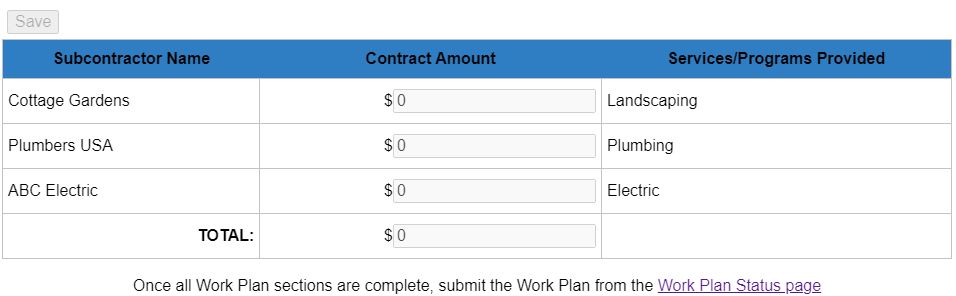
Even if the agency does not have any contractors paid from CSBG Funds, the agency should save the Work Plan screen as a way of documenting there are no subcontractors receiving CSBG Funds.
At any time during data entry, any COPOS user with Work Plan access may go to the Report Status menu item and select Work Plan Status to view if the agency’s Work Plan is ready to be submitted (each section is noted as Complete).
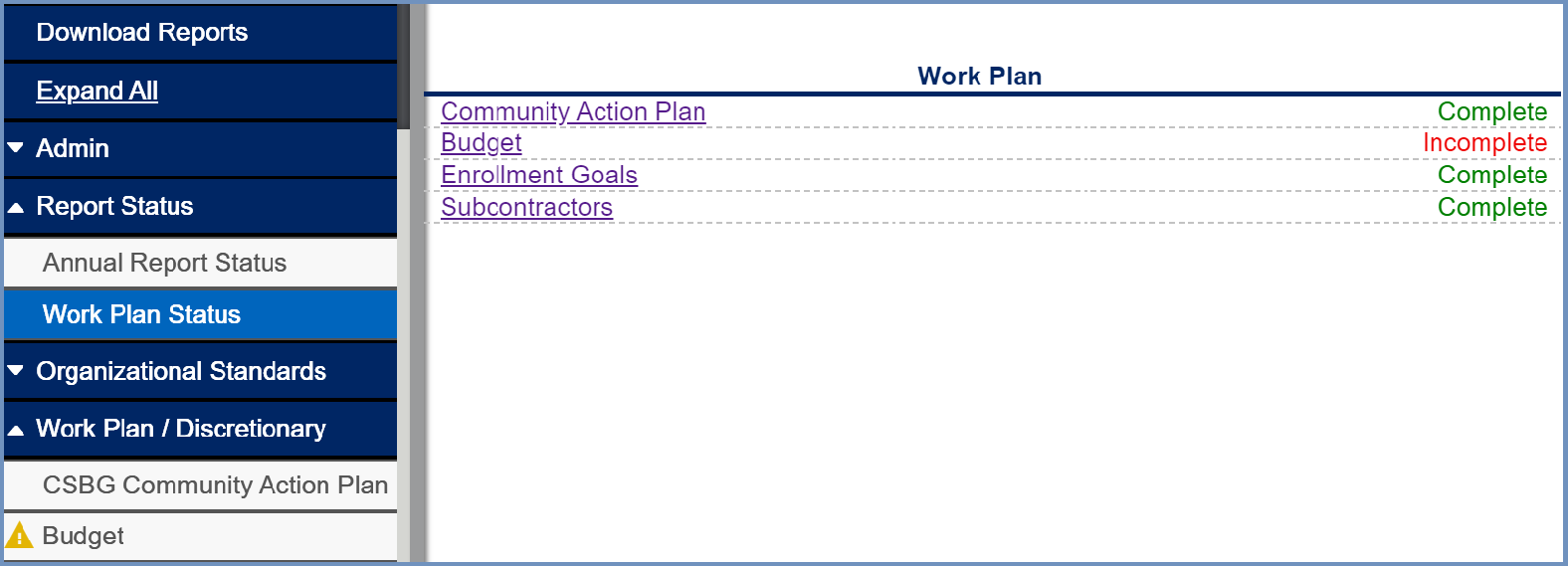
As shown above, this COPOS user can see that the Budget section is incomplete by noticing the yellow triangle beside the Budget and by the “Incomplete” shown as the status of the Work Plan: Budget section.
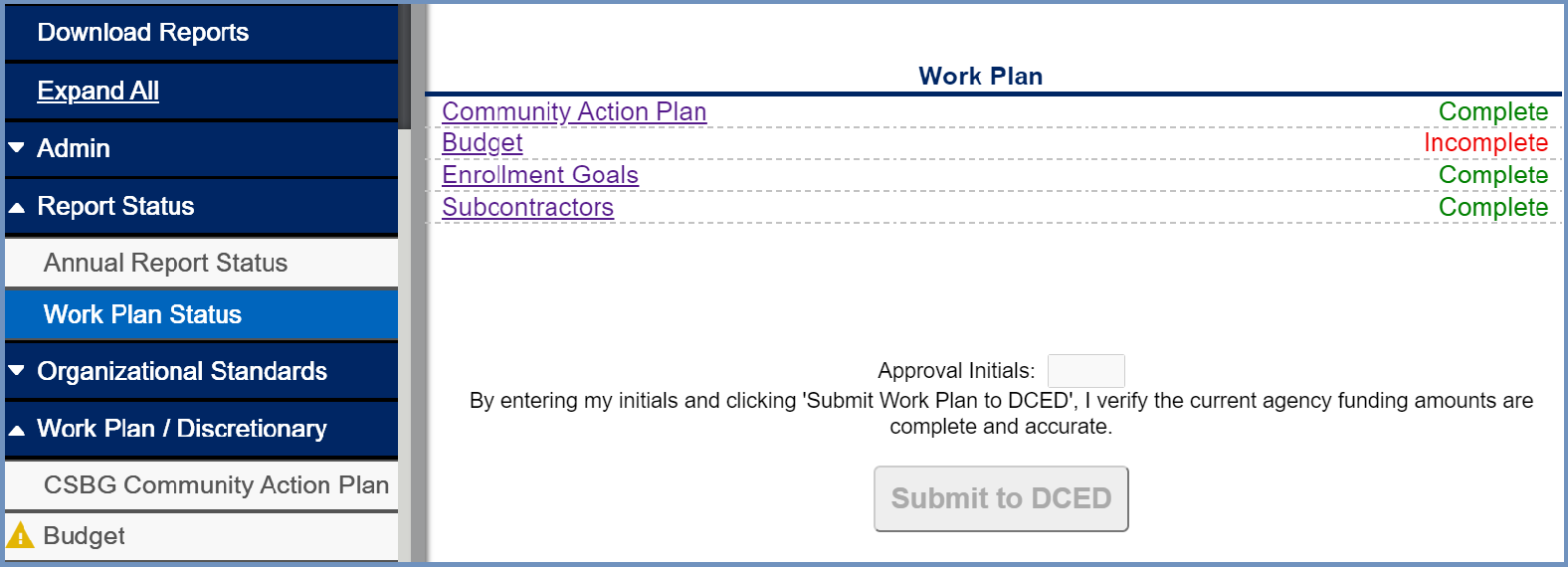
An ED will also see a Submit to DCED button as shown below. They will need to electronically sign it by entering their initials and then click Submit to DCED.
DCED will then review the Work Plan. Upon completion of their review, the agency will receive an e-mail advising that the Work Plan has been Processed or that the Work Plan has been returned for additional information. If the Work Plan is returned, the e-mail will contain additional information on why the Work Plan has been Sent Back.
At the point the Work Plan has been Sent Back, the agency may go in and make appropriate updates and then Submit to DCED.